Automate your Workflow

with Notion 's API!
Yoom allows you to utilize Notion's API without any coding. By integrating Yoom with Notion, you can automatically retrieve and update information from Notion databases, and automatically store information from input forms into Notion's database. Additionally, you can aggregate and sync information from Notion's database with Yoom's database, enabling seamless integration with various SaaS platforms.

Notion
Notion
 Flowbot
Templates
recommended
Notion Google Sheets
When information is added to any Notion database, also add the information to Google Sheets.
This is a flow where information is added to a Google Spreadsheet whenever information is added to any Notion database.
Notion LINE Official Account
When a page is created or updated in Notion, notify on LINE.
When a page is created or updated in Notion, a notification will be sent to the specified LINE chat room. You can designate any chat room as the notification destination.
Notion Google Calendar
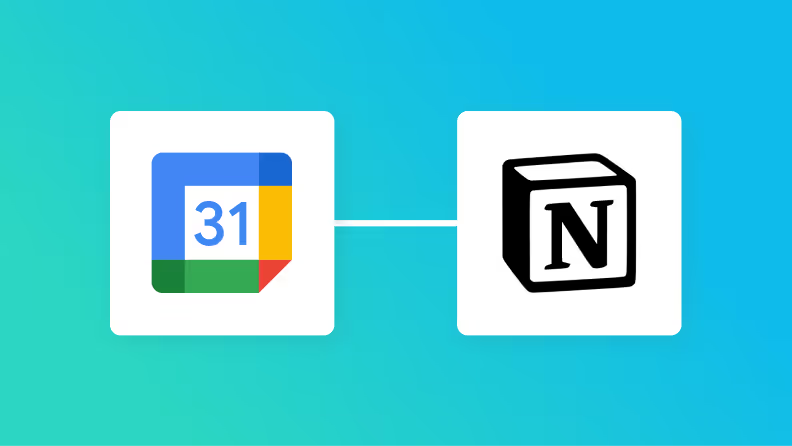
Register tasks recorded in Notion to Google Calendar.
Automatically register task information from the Notion task management database as all-day events in Google Calendar. Only new tasks will be registered, and updated tasks will be excluded from this flow.
Notion Google Drive
When a file is uploaded to Google Drive, add the Drive URL to the Notion database.
When a file is uploaded to a specific folder in Google Drive, its URL is added to a database in Notion. Google Drive can be triggered not only when a file is uploaded to a specific folder but also when a file is created, allowing for a broader range of upload triggers. Additionally, while Notion cannot upload files themselves due to its specifications, it can add URLs as in this case, making it possible to pseudo-add file information obtained from storage tools like Google Drive to Notion.

Notion Slack
When a page is created or updated in Notion, notify Slack.
When a page is created or updated in Notion, a notification will be sent to the specified Slack channel. You can specify any Slack channel for the notifications.
Notion Google Forms
Add a record to Notion when there is a response to the Google Form.
When there is a response to a Google Form, this flow adds a record to the Notion database. It saves the effort of manually transferring Google Form responses to the Notion database, leading to significant time savings.
API actions —no coding required!
Automation Actions
    Get page details
    Create Page
    Append text to page
    Update Page Property (Text)
    Update Page Property (Number)
    Update Page Property (Select)
    Update Page Property (Multi-select)
    Update Page Property (Date)
    Update page property (Checkbox)
    Update page property (URL)
    Update page property (Email)
    Update page property (Phone number)
    Retrieve block information for a specific page
    List users
    Update page properties (Relation property)
    Add a sub-item to the specified record
    Generate File Upload ID
    Upload file
    Update Page Property (Files & media property)
    Download File
    Retrieve Page Information (List of File Info)
    Search Pages and Databases by Title
    Create Page from Database Template (Title Only)
    Add a Heading and Paragraph to a Page
    Update Data Source Property Name
    Update Page Property (Title)
    Search text within a data source’s formula property
    Append Text with Embedded URL to Page
Automation Triggers
    When a page is created or updated
    When a database is created or updated
    [Deprecated] When a page in a specific database is created or updated
    When receiving a Webhook
    When a page is created (Webhook)
    When page content is updated (Webhook)
    When a page is deleted (Webhook)
    When Page Properties are Updated (Webhook)
    When a Comment is Created (Webhook)
    When a Comment is Updated (Webhook)
    When a Comment is Deleted (Webhook)
    When Database Content is Added or Updated (Webhook)
    When a page in a specific data source is created or updated
Connect with More Apps
to Boost your Productivity!
With Yoom,
Notion
can be linked to various apps.
Below are some popular integrations for
Notion
. Explore and enhance your workflow!
Gemini
Gemini
Gemini
Airtable
Airtable
Airtable
Claude
Claude
Claude
Asana
Asana
Asana
Backlog
Backlog
Backlog
Board
Board
Board
Chatwork
Chatwork
Chatwork
CloudSign
CloudSign
CloudSign
CollaboFlow
CollaboFlow
CollaboFlow
Dropbox
Dropbox
Dropbox
GMO Sign
GMO Sign
GMO Sign
Garoon
Garoon
Garoon
Work Smarter 
with Yoom
Get started in
30 sec!
Try for free now!