


・
8 Popular Automation Tools: Common Drawbacks Based on Real User Reviews

Choosing an automation platform is not just about finding the tool with the most features. It is also about understanding the challenges that may arise after implementation.
A platform may offer powerful integrations and advanced customization, but users may still encounter unexpected errors, complicated configurations, rising costs, or difficulties getting technical support.
To provide a more realistic picture of the automation market, we analyzed public discussions and user reviews of eight popular automation platforms: Make, Zapier, n8n, Power Automate, Workato, MuleSoft, Boomi, and IFTTT.
By examining feedback from Reddit, G2, and Capterra, we identified recurring concerns and explored what they reveal about the challenges of using automation software in practice.
In this article, we cover:
- The most frequently reported drawbacks of seven popular automation tools.
- Common challenges shared across different automation platforms.
- What to consider when evaluating an alternative.
- Other automation platforms worth exploring.
Our goal is not to rank these products or suggest that any one platform is inherently unsuitable. Instead, we want to help you understand the potential trade-offs before choosing an automation solution.
Drawbacks of 8 Popular Automation Tools Based on User Feedback
*A single post could mention multiple concerns, so the percentages do not add up to 100%.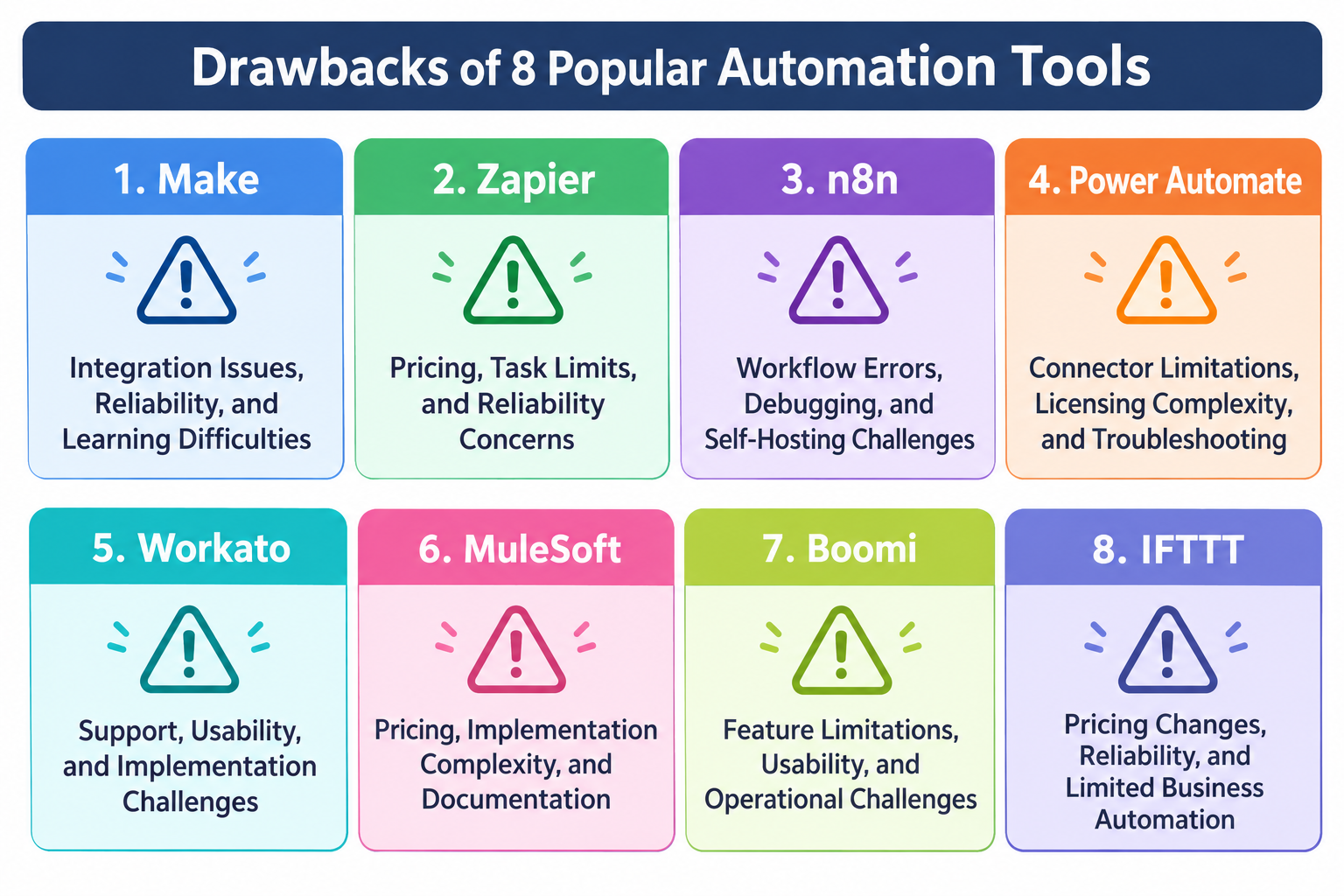
1. Make: Integration Issues, Reliability, and Learning Difficulties
Make is a visual automation platform that allows users to connect applications and build complex scenarios through a drag-and-drop interface.
Its visual builder offers flexibility, but some users have reported challenges involving integrations, reliability, and troubleshooting.
Common Concerns About Make Reported by Reddit Users
- Integration and connector issues: 75%
- Bugs and reliability issues: 62%
- High costs and credit usage: 36%
- Usability and complexity: 26%
- Maintenance, debugging, and monitoring: 26%
- Support and documentation: 18%
Common Concerns About Make Reported by G2 Reviewers
- Slow customer support and reliance on AI bots: 24%
- Steep learning curve and difficult setup: 24%
- Difficult debugging and limited error recovery: 20%
- Feature and technical limitations: 20%
- Unexpected credit usage and operation limits: 12%
The findings suggest that learning how to configure scenarios and resolve errors can be important considerations when choosing Make.
See Full Analysis about Make. https://lp.yoom.fun/en/blog-posts/make-alternatives
2. Zapier: Pricing, Task Limits, and Reliability Concerns
Zapier is a popular automation platform known for its extensive app integrations and beginner-friendly interface.
However, some users have raised concerns about its pricing structure, task limits, and the reliability of automations.
Common Concerns About Zapier Reported by Reddit Users
- Pricing and billing: 56.2%
- Task limits and usage restrictions: 32.8%
- Reliability issues and failed automations: 28.1%
- Complex workflows, feature limitations, and maintenance: 28.1%
- Integration and connectivity limitations: 18.8%
- Customer support: 1.6%
Common Concerns About Zapier Reported by G2 Reviewers
- Customer support: 23%
- Pricing and costs: 22%
- Reliability issues: 22%
- Setup difficulties and UI/UX: 17%
- Feature limitations and complex automation: 16%
The findings suggest that pricing, usage restrictions, and reliability are important considerations when evaluating Zapier.
See Full Analysis about Zapier: https://lp.yoom.fun/en/blog-posts/zapier-alternatives
3. n8n: Workflow Errors, Debugging, and Self-Hosting Challenges
n8n is a workflow automation platform that offers extensive customization and flexibility, particularly for users who want greater control over their automation workflows.
However, this flexibility can also introduce challenges involving workflow reliability, debugging, and maintenance.
Common Concerns About n8n Reported by Users
- Workflow errors and unexpected failures: 68%
- Setup, learning, and debugging difficulties: 11%
- Execution and data processing issues: 11%
- Self-hosting and maintenance: 7%
- Pricing and billing: 7%
- Licensing restrictions: 7%
- Missing features and integrations: 6%
The findings suggest that troubleshooting workflow failures and maintaining automation environments can be important considerations when choosing n8n.
See Full Analysis about n8n: https://lp.yoom.fun/en/blog-posts/n8n-alternatives
Microsoft Power Automate is a low-code automation platform that helps users automate tasks and business processes across Microsoft 365 and other applications.
4. Power Automate: Connector Limitations, Licensing Complexity, and Troubleshooting
While its integration with Microsoft's ecosystem is a major advantage, some users have reported challenges involving connectors, licensing, reliability, and workflow maintenance.Common Concerns About Power Automate on Reddit
- Connector and integration limitations: 50%
- High costs and licensing complexity: 39%
- Errors and reliability issues: Approximately 38%
- Governance and authentication challenges: 25%
- Maintenance and debugging difficulties: 19%
- Usage limits and restrictions: 17%
- Support and documentation concerns: 14%
- Usability and complexity: 14%
Common Concerns About Power Automate Among G2 Reviewers
- Complex licensing and Premium connectors: Approximately 24%
- Difficult debugging and unclear errors: Approximately 20%
- Complex data processing and customization: Approximately 18%
- Reliability issues, especially with RPA: Approximately 15%
- Learning curve and limited guidance: Approximately 13%
- Challenges connecting to non-Microsoft services: Approximately 10%
User feedback suggests that connector limitations, licensing complexity, and troubleshooting difficulties may be important considerations when choosing Power Automate.
See Full Analysis about Power Automate: https://lp.yoom.fun/en/blog-posts/power-automate-alternative
5. Workato: Support, Usability, and Implementation Challenges
Workato is an enterprise automation platform designed to connect business applications and automate complex processes across organizations.
While it offers extensive automation capabilities, some users have reported challenges related to usability, implementation, and customer support.
Common Concerns About Workato Reported by Users
- Customer support and the support experience
- Learning curve and ease of use
- Implementation and configuration complexity
- Troubleshooting and resolving automation issues
- Pricing and overall value
User feedback suggests that Workato's implementation requirements and learning curve may be important considerations, particularly for teams without dedicated technical resources.See Full Analysis about Workato: https://lp.yoom.fun/en/blog-posts/workato-alternative
6. MuleSoft: Pricing, Implementation Complexity, and Documentation
MuleSoft is an integration platform designed to connect enterprise systems, applications, and data sources.
Its broad integration capabilities can support complex enterprise environments, but users have also reported challenges involving cost, implementation, and usability.
Common Concerns About MuleSoft Reported by Reddit, G2, and Capterra Users
- Pricing and value for money: 24.4%
- Implementation and setup complexity: 22.2%
- Documentation, learning, and customer support: 15.6%
- UI, usability, and developer experience: 15.6%
- Flexibility and integration limitations: 11.1%
- Stability and reliability: 4.4%
- Lifecycle management and vendor lock-in: 2.2%
- Product maturity and migration compatibility: 2.2%
- Migration and switching difficulties: 2.2%
The findings suggest that implementation complexity, pricing, and the learning curve are important considerations when evaluating MuleSoft.
See Full Analysis about MuleSoft: https://lp.yoom.fun/en/blog-posts/mulesoft-alternative
7. Boomi: Feature Limitations, Usability, and Operational Challenges
Boomi is an enterprise integration platform that helps organizations connect applications, data, and business processes.
However, some users have reported challenges involving feature limitations, usability, operational stability, and troubleshooting.
Common Concerns About Boomi Reported by Reddit, G2, and Capterra Users
- Feature limitations, UX, and compatibility: 32.3%
- Operations, change management, and stability: 22.6%
- Learning, setup, and implementation complexity: 16.1%
- Support, monitoring, and troubleshooting: 16.1%
- Pricing and cost: 9.7%
- Product development and vendor responsiveness: 3.2%
The findings suggest that feature limitations and operational complexity can be important considerations, particularly when managing and maintaining integrations at scale.
See Full Analysis about Boomi: https://lp.yoom.fun/en/blog-posts/boomi-alternative
8. IFTTT: Pricing Changes, Reliability, and Limited Business Automation
IFTTT is an automation platform that connects apps and smart devices through simple conditional workflows called Applets.
Its straightforward approach makes it accessible to individual users, but some users have raised concerns about pricing changes, reliability, and its suitability for business automation.
Common Concerns About IFTTT Reported by Reddit, G2, and Capterra Users
- Pricing changes and the shift to a credit-based model: 32.8%
- Reliability issues and failed integrations: 22.4%
- Lack of customer support: 17.9%
- Limited capabilities for business automation: 13.4%
- Confusing UI/UX and setup complexity: 9.0%
- Excessive and unwanted notifications: 4.5%
The findings suggest that pricing changes, reliability, and limited business automation capabilities are important considerations when evaluating IFTTT.
See Full Analysis about IFTTT https://lp.yoom.fun/en/blog-posts/ifttt-alternative
What Do These User Reviews Tell Us About the Automation Industry?
Looking across all seven platforms, one thing becomes clear: different tools have different strengths, but many of the challenges users encounter are surprisingly similar.
Let's examine four broader lessons from the findings.
1. More Powerful Automation Does Not Always Mean Easier Automation
Advanced automation platforms often provide greater flexibility, customization, and control.
However, these capabilities may come with a steeper learning curve.
This is particularly relevant when building complex automations involving multiple applications, conditional logic, data transformations, and error handling.
A platform that works well for developers or integration specialists may not be equally accessible to employees without technical experience.
The takeaway: Evaluate automation tools based on who will actually build and maintain the workflows, not just the features available.
2. The Starting Price Does Not Tell the Whole Story
Pricing concerns appeared across several of the products we examined.
Keep in mind that pricing is subjective. For almost any product, unless it offers a permanently free plan, there will always be some users who consider it too expensive, no matter how affordable it may be. Therefore, review percentages can be a useful reference for understanding how commonly pricing is perceived as a concern, rather than judging a product's pricing based on individual complaints alone.
A low starting price does not necessarily mean a lower total cost.
The takeaway: Compare the expected total cost of ownership, including subscription fees, usage limits, additional charges, implementation, and maintenance.
3. Reliability and Troubleshooting Are Just as Important as Integrations
An automation platform may support hundreds of applications, but that does not guarantee that every integration will work perfectly for your use case.
External API changes, authentication issues, unexpected data formats, and complex execution logic can all affect automation reliability.
The ability to identify and resolve problems is therefore essential.
The takeaway: During a trial or proof of concept, test not only whether an automation works but also what happens when it fails.
4. Customer Support Becomes More Important as Automation Expands
A small automation failure may be manageable when it affects only one person.
However, when automations support critical business operations, troubleshooting delays can have a much greater impact.
Documentation, onboarding, training, and vendor support should therefore be part of the selection process.
The takeaway: Consider what assistance will be available after implementation, especially if your team does not have dedicated automation engineers.
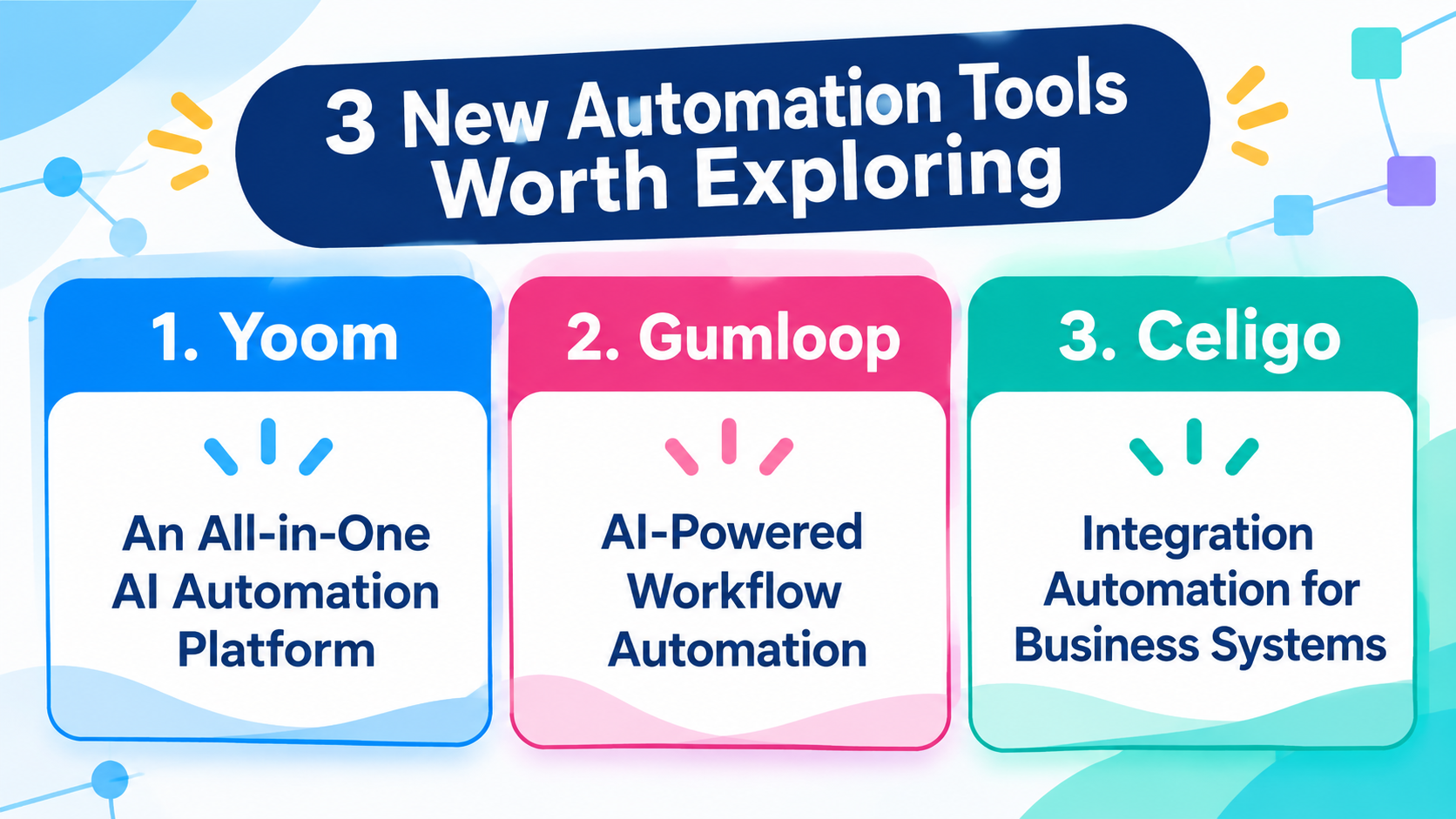
3 New Automation Tools Worth Exploring
Make, Zapier, n8n, Power Automate, Workato, MuleSoft, Boomi, and IFTTT are all well-known names in the automation market.
However, being well-known or having a long history does not necessarily mean a platform is the most reliable, practical, or suitable choice for every team.
If you have already tried some of the established automation tools but haven't found one that truly meets your needs, exploring newer platforms may be worth considering.
Newer tools may offer different approaches to automation, user experiences, and ways of combining AI with business processes.
Here are three platforms worth exploring.
1. Yoom: An All-in-One AI Automation Platform
Yoom is an all-in-one AI automation platform that brings together AI, app integrations, workflow automation, databases, forms, and document processing.
Rather than focusing only on connecting applications, Yoom aims to support broader business processes through a combination of AI-powered and rule-based automation.
Its key capabilities include:
- AI Worker: Build and execute AI-powered tasks using natural-language instructions, allowing AI to handle tasks that require information processing and judgment.
- Workflow: Automate predefined processes using triggers, conditions, app integrations, and approval steps.
- Database: Manage business information and use it as part of automated processes.
- Forms: Collect information and connect form submissions to subsequent workflows.
- AI-OCR: Extract information from documents and use the results in business processes.
Yoom may be worth exploring if your organization wants to combine AI-powered tasks with conventional business automation in one platform.
It is also an option for teams looking to make automation accessible to employees beyond dedicated developers.
2. Gumloop: AI-Powered Workflow Automation
Learn more about Gumloop
Gumloop is an AI-focused automation platform designed to help users build workflows involving AI models, applications, and business data.
Its visual workflow-building approach allows users to combine different steps and create automations for tasks involving AI.
Gumloop may be worth exploring if your main priority is building AI-powered workflows, experimenting with AI models, and connecting AI capabilities to business processes.
For teams exploring how to incorporate AI into everyday operations, it offers a different approach from traditional rule-based automation platforms.
3. Celigo: Integration Automation for Business Systems
Learn more about Celigo
Celigo is an integration platform focused on connecting business applications and automating data flows between systems.
It is particularly relevant to organizations that need to manage integrations across business-critical applications, such as ERP, CRM, and e-commerce systems.
Its integration-focused approach may be worth considering if your primary challenge is synchronizing data across multiple business systems and managing integrations at scale.
Compared with general-purpose automation tools, Celigo is more specifically oriented toward business application integration.No Automation Platform Is Perfect
Every automation platform has strengths and weaknesses.
A tool that one user finds too expensive may be the right choice for another organization that values its advanced capabilities.
A platform that developers consider flexible may feel unnecessarily complicated to a non-technical team.
Similarly, a simple automation tool may be ideal for straightforward tasks but insufficient for complex business processes.
There is no single automation platform that is perfect for everyone.
The important thing is to understand the trade-offs and identify which ones matter most to your organization.
If you are not satisfied with the established options, don't limit your search to the most widely recognized names. Newer and alternative platforms are also worth exploring, particularly as AI changes how businesses approach automation.
Whether you choose Make, Zapier, n8n, Workato, Yoom, Gumloop, Celigo, or another solution, the best platform is ultimately the one that helps your team automate the right processes with the right balance of usability, flexibility, cost, and reliability.
Before committing to a platform, try it with a real business process. The best automation tool is not necessarily the one with the most features, but the one that works best for your team.